Vosaic now lets you upload videos in the background—perfect for recording back-to-back sessions without waiting.
How to Upload in the Background
-
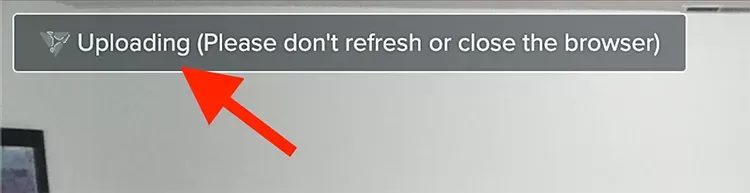
After stopping a recording, click the Uploading (Please don't refresh or close the browser) button (top left corner).
-
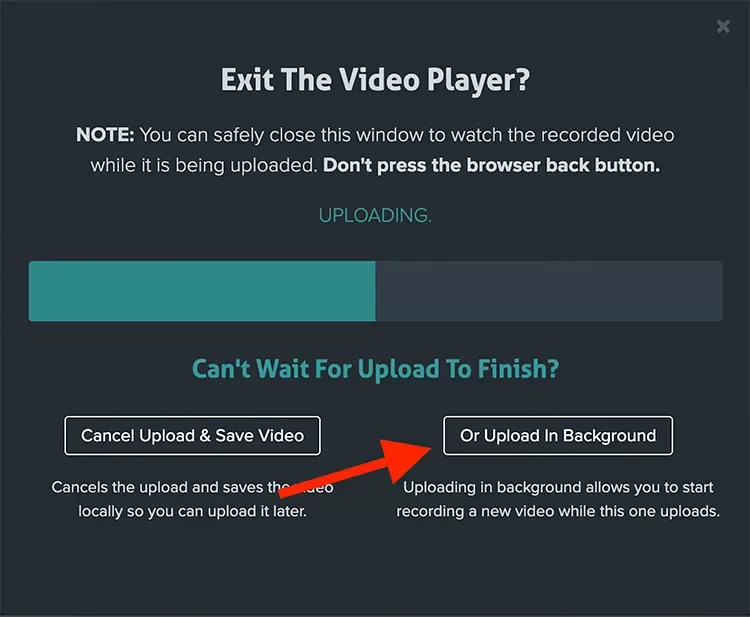
A modal will appear—confirm by clicking the Or Upload in Background button.
-
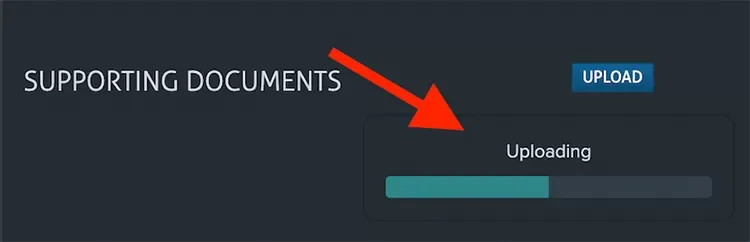
The player will close, and you’ll see the upload progress in the bottom right of your browser.
-
You can now safely start recording your next video.
Important
-
Do not refresh the page.
-
Do not log in to Vosaic in another tab or browser.
-
Only one video can upload in the background at a time (usually finished before your next upload).
Note
Once a video finishes uploading, it moves to the Processing stage. At this point, you may:
-
Refresh the page
-
Exit Vosaic
-
Start recording another video