Vosaic Forms are button templates that can help speed up your team's video analysis workflow.
Why Use Vosaic Forms
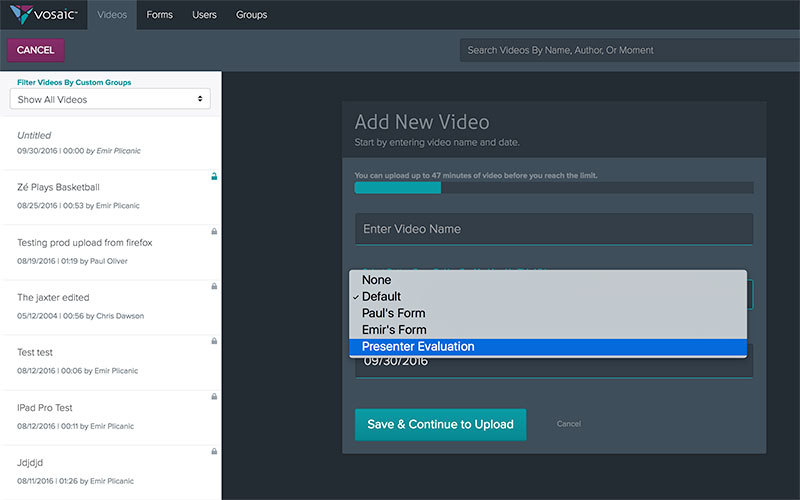
By using Vosaic Forms, you can create templates of the button sets you want to use in subsequent videos. This eliminates the repetitive task of creating a set of buttons every time you start a new video project. Once a Form is created, it will appear as an option within the drop-down on the “Add New Video” screen.
How to Create Forms
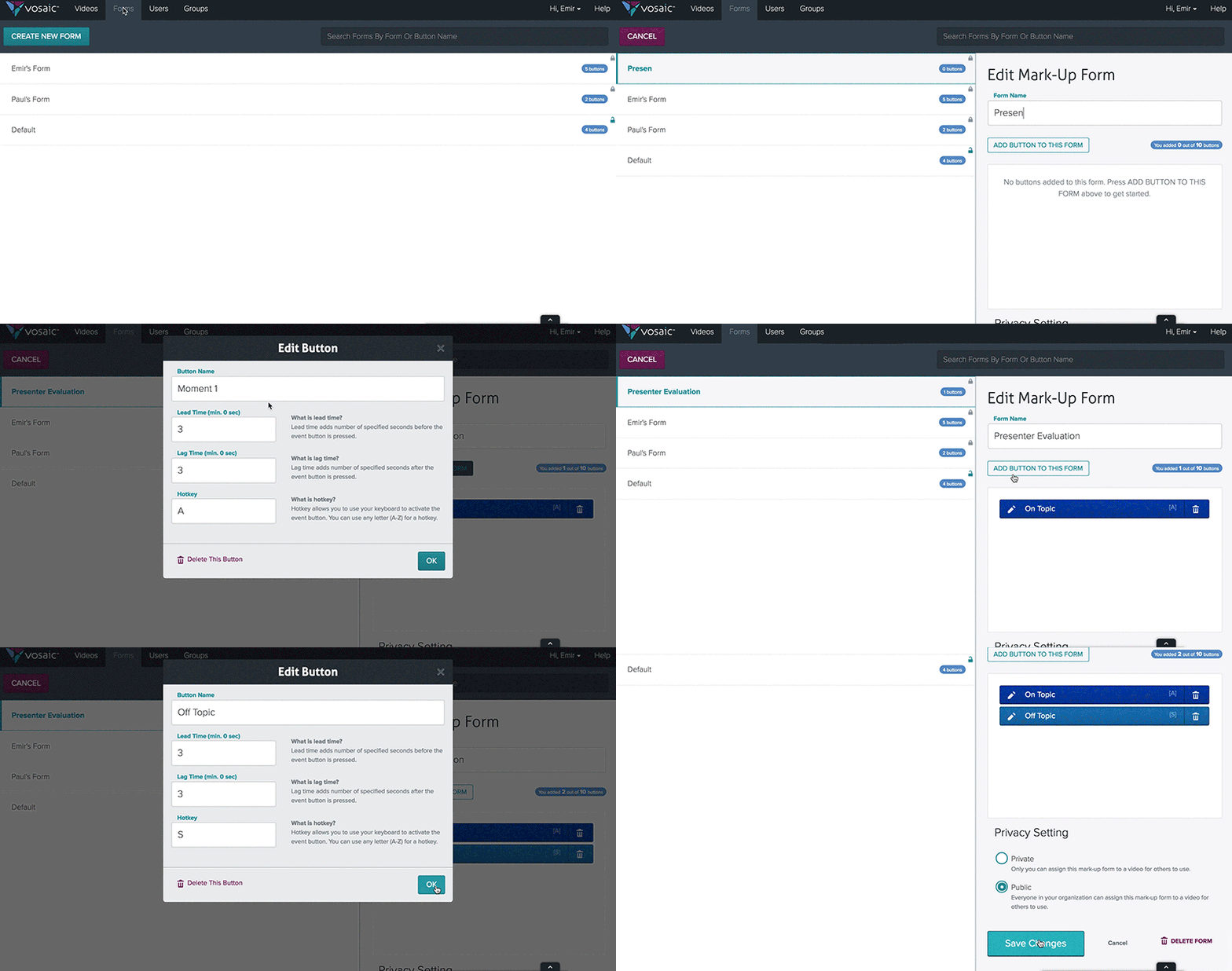
Click the Forms tab in the upper lefthand corner (Administrator or Educators will have access to this tab)
Select the “Add New Form” button
Give your form a name
Select the “Add Button to This Form” button
Fill out the “Edit Button” details
Press OK
Scroll down and select whether this Form should be Public or Private
Private: Only you can assign this mark-up form to a video for others to use.
Public: Everyone in your organization can assign this mark-up form to a video for others to use.Select the “Save Form” button
Give Vosaic Forms a try today. If you don’t have a Vosaic account, it’s easy to get started.